



You’ve sent the quote. The customer seemed keen. Then… silence.
A day passes. Then another. You send a polite nudge. Nothing. You call and hear, “Ah yes, meant to sign it, could you resend?”
Does this sound familiar?
eSignatures should have fixed this. They’re faster than printing and posting, and customers expect them. But if your eSignature tool isn’t connected to your CRM, you’re still doing extra admin and things slip
So, what if signing lived inside Dynamics 365, the system you already use every day?
The challenges of using standalone eSignature tools in Dynamics 365
Here’s the usual routine:
- Create a quote in Dynamics 365
- Download it
- Open your eSignature tool
- Upload, add recipients, send
- Wait for the signature
- Download the signed copy
- Upload it back into Dynamics
- Manually update the record to “Accepted”
That’s a lot of steps. When you’re busy, some get skipped.
So, what happens?
- Documents saved in random folders or lost entirely
- CRM records that don’t reflect reality
- Colleagues can’t see what’s signed and what’s not
- Time wasted switching between systems
It’s okay. But it’s clunky, and it relies on people remembering admin they don’t enjoy.
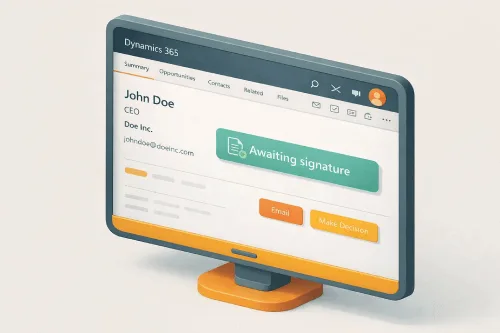
How does AMS eSignatures automate signing workflows within Dynamics 365?
- You create the quote in Dynamics and click “Send for signature”
- The customer opens it on any device and signs in a tap
- The signed PDF is stored automatically against the right record (and in SharePoint)
- The status updates to “Signed” without you lifting a finger
No downloading. No uploading. No switching between systems. No forgetting to update the CRM.
How much time do sales teams save with integrated eSignatures?
When eSignatures are built into Dynamics, your reps don’t need to jump between tools. They can see exactly where every document stands, who’s signed, who hasn’t, and who might need a nudge.
For sales teams, the difference is immediate:
- See live status on every document: Sent, Viewed, Signed
- Nudge the right people at the right time
- Quotes don’t go cold while you’re guessing
- Fewer clicks, fewer mistakes, more time selling
Most of our customers tell us they save around 1.5 hours per transaction with eSignatures connected to Dynamics. That adds up quickly.
Improving the customer signing experience with mobile-friendly eSignatures
Nobody wants to download software, create an account or hunt for the Sign button.
A good eSignature flow is simple:
- Open the document
- Tap to sign
- Get instant confirmation
When it’s integrated properly, it works on any device and there’s no confusion about what happens next. A smooth signing experience says you value their time.
Enhancing contract visibility and audit trails for finance and management
It’s not just sales that benefits. With eSignatures in Dynamics:
- Managers can see deal progress without asking
- Finance knows when contracts are signed, no chasing
- There’s a clear audit trail of who signed what, and when
No more “I thought you’d sent that?” conversations. No more digging through emails to find a signed document. The information’s just there, in the system, where it should be.
Bringing it all together
eSignatures aren’t new. But bolting a separate tool onto your CRM creates friction – extra steps, extra systems, extra chances for things to fall through the cracks.
When eSignatures are built into Dynamics 365, everything flows more smoothly:
- Your team spends less time on admin
- Your customers get a faster, smoother experience
- Everyone can see where things stand
- Documents stay linked to the right records automatically

